Steering and speed
Drives the machine through passes, headlands and turns.

Machine control Flagship product
Pilot deployment program
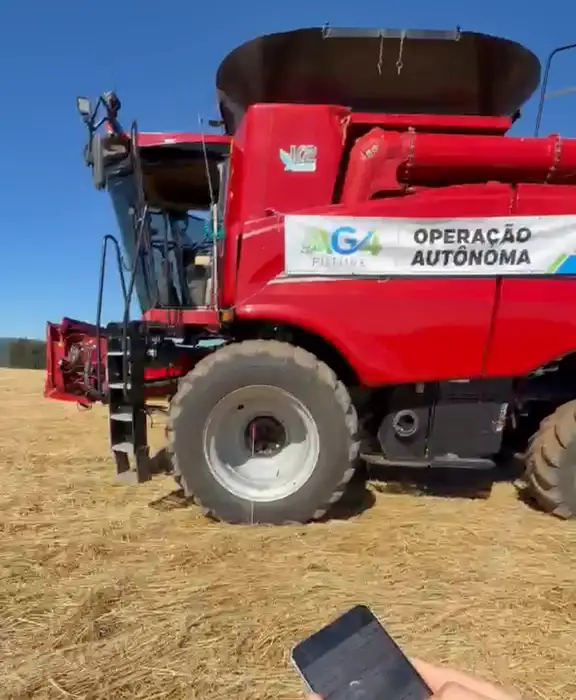
Installed on the combine harvester you already own, AG4 Control executes the optimized route and operates the machine's functions — speed, steering, header functions and rotor speed adjustment. You monitor remotely, the system learns with every operation and every field builds a history.
AG4 Control is in a pilot deployment program: AG4 selects machines and operations and supports each deployment with its engineering team.
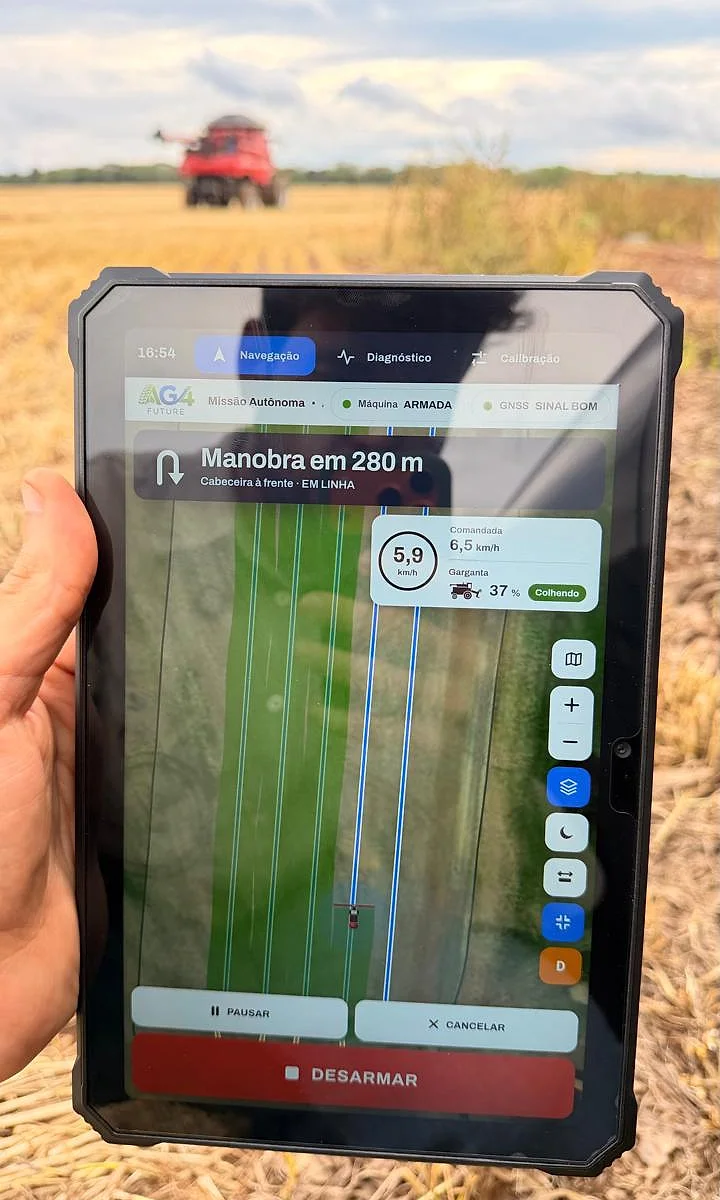
What it is
It receives the optimized route, knows where the machine is and operates the machine throughout the job — pass by pass, turn by turn.
Passes, turns, headland and work order.
Position and heading from the antenna with corrected signal.
Plus rotor speed adjustment, through the machine's own electronics.
Every operation is stored and improves the next routes.
See the machine and the progress of the operation from wherever you are.
Much more than following a route
AG4 Control doesn't just guide the machine: it operates the harvesting functions, optimizes the route, learns with every operation and keeps a record of everything.
Drives the machine through passes, headlands and turns.
Controls the header during the operation.
Adjusts the machine's rotor speed to suit the operation.
Passes, headland and turns calculated for your field and your machine.
Every route executed feeds the system, which improves the next ones.
See the machine, its position and the progress of the operation from wherever you are.
Routes, worked area and events from every operation are recorded.
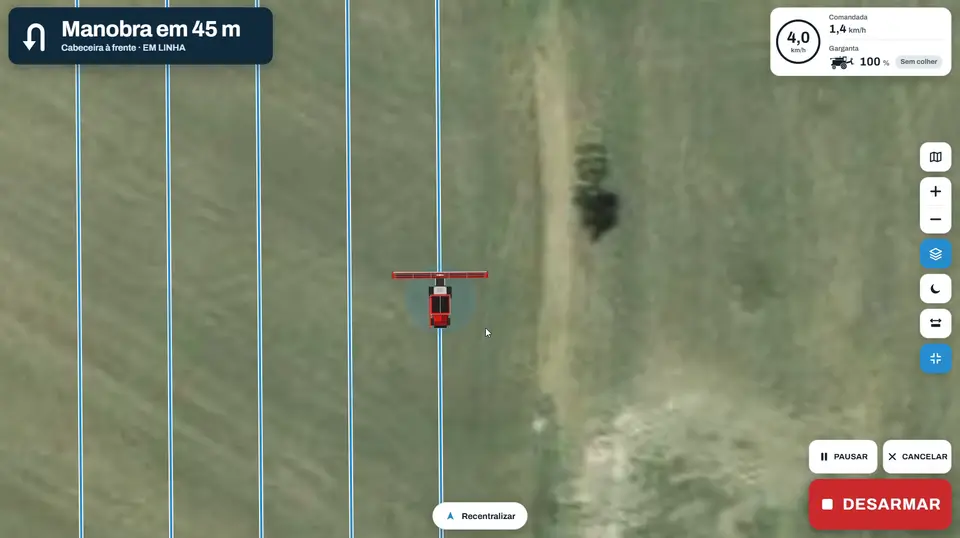
From the cab, the operator monitors and can pause or shut down at any time.
The route arrives ready from AG4 Atlas: passes, turns and headland.
GNSS reports where the machine is and which way it is heading.
Control commands steering, speed, header and rotor speed.
The machine works the field and the operation is recorded.
Integration with the machine
Control talks to the machine over the CAN bus and monitors every module involved in the operation. The integration is defined for each model and configuration, after a technical assessment.
Assess my machineAtlas + Control Planning and execution
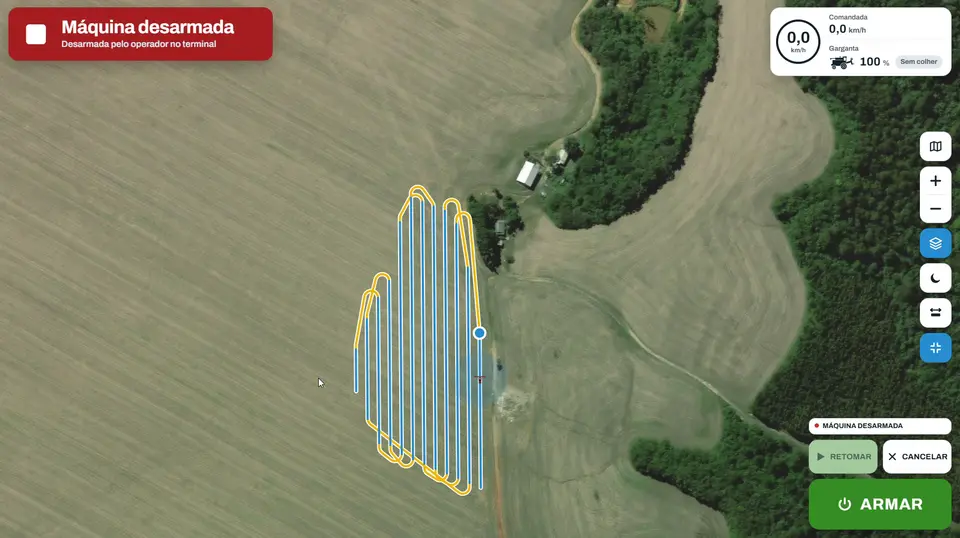
The route generated in AG4 Atlas is the same one AG4 Control follows on the machine — with the pass sequence, the turns and the headland.
Hardware
Boards, CAN interfaces and modules designed and tested by AG4 engineering — first on the bench, then on the machine.
AG4 terminal The operator's screen
Navigation, field map, stops and alerts, calibration and diagnostics — on the AG4 terminal installed in the cab.
Interactive: switch tabs, press STOP, mark alerts, drag the mapAG4 terminal · sample data
Digital farm The system learns
With every operation, the machine records its position with corrected signal and the slope of the terrain. That data becomes the digital map of the farm — terrain, slope, waterlogged areas and obstacles — and each operation helps improve the next.
Position with corrected signal and tilt, pass by pass.
Terrain, slope, waterlogged areas and obstacles.
The history feeds planning and the operation with Control.
Loading the field terrain…
Drag to rotate · + and − to zoom
Real example: terrain of a field built from the positions with corrected signal and the tilt measured by the machine during a harvest (Sep 24, 2026). Height exaggerated so the terrain shows; coordinates omitted.
Compatibility
Each integration depends on the model, year, electronics and installed systems. AG4 engineering assesses the configuration before any proposal.
Evolution of Control
The system operates the machine on the optimized route. The operator stays in the cab, monitors and can pause at any time.
Next stage: commanding the operation remotely, in compatible applications.
Future vision: the machine operates on its own, within defined and validated conditions.
The stages indicate the direction of development. Availability, scope and conditions of each version are confirmed by AG4 for each application.
Videos
FAQ
Not necessarily. The integration depends on the model, year, electronics and installed systems. That's why every application starts with a technical assessment by AG4 engineering.
No. Besides executing the route, it operates the machine's functions — steering, speed, header and rotor speed adjustment —, lets you monitor the operation remotely and records the history of every field.
From AG4 Atlas. Atlas uses the map of the area, the machine's characteristics and the operation history to calculate the optimized route: passes, turns and work order.
In assisted operation (V1), yes: the operator stays in the cab. Remote operation and autonomous operation are stages in the product's evolution, with availability confirmed by AG4 for each application.
Yes. The operation uses an antenna with corrected signal to know the machine's position and heading. The right equipment is defined during the technical assessment.
The route from AG4 Atlas can be exported to displays from other brands. Complete control of the machine — functions, stops and alerts, history, diagnostics and remote monitoring — happens on the AG4 terminal.
AG4 Control is in a pilot deployment program. AG4 selects machines and operations and supports each deployment with its engineering team, ahead of broad commercial availability.
Fill out the compatibility form with details about your machine and operation. AG4 engineering assesses the configuration and gets back to you with the next steps.